Traffic Rider Mod APK for iOS – Download on iPhone & iPad
Want to enjoy Traffic Rider on your iPhone or iPad? Traffic Rider Mod APK for iOS is searched by players looking for different bikes, exciting missions, and extra gameplay features. Enjoy first-person riding, realistic sounds, busy roads, and multiple game modes.
Looking for the right way to get started? This guide covers features, iOS compatibility, installation options, controls, gameplay tips, safety, and common issues.
What Is Traffic Rider Mod APK for iOS?
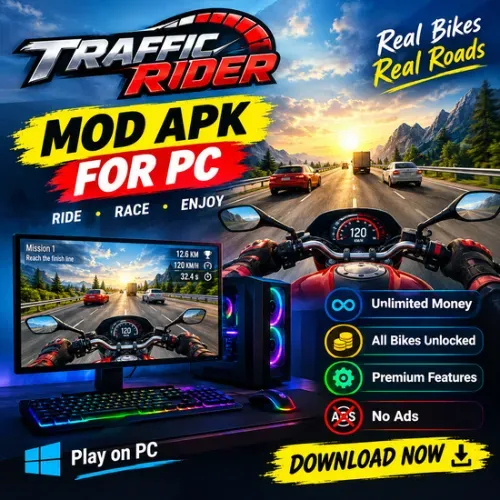
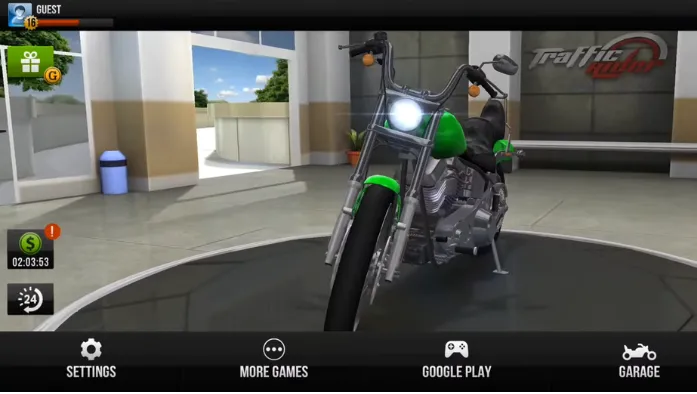
Traffic Rider Mod APK for iOS refers to modified versions of the Traffic Rider game that advertise extra features such as unlimited money or unlocked motorcycles. The original game focuses on first-person motorcycle racing and includes missions, upgrades, and different riding modes.
Information | Details |
App Name | Traffic Rider MOD APK For ios |
Developer | Soner Kara |
Platform | iOS |
Devices | iPhone & iPad |
Category | Racing Game |
Game Modes | Career, Endless, Time Trial, Free Ride |
Controls | Touch Controls |
Traffic Rider Mod APK for iOS Features
Traffic Rider offers several features that make the riding experience more engaging.
Below we discuss some of its main gameplay features:
First-Person Riding
The first-person camera puts you in the rider’s position and gives you a closer view of the road, motorcycle, and surrounding traffic. This makes overtaking and avoiding vehicles more interactive.
Multiple Motorcycles
Players can choose from different motorcycles with varying speed, acceleration, handling, and braking performance. Bike selection can make a difference when completing different missions.
Career Missions
Career Mode includes different missions and objectives that allow players to progress through the game. Completing missions can provide rewards and help unlock further content.
Endless Mode
Endless Mode allows you to ride through traffic while focusing on distance and avoiding collisions. It provides a simple way to practice riding and improve your control.
Time Trial Mode
Time Trial challenges players to complete objectives within a limited time. Quick reactions, proper speed control, and careful overtaking help during these rides.
Free Ride Mode
Free Ride offers a more relaxed experience without the same mission pressure. Players use this mode to explore the roads and practice their riding skills.
Realistic Bike Sounds
Motorcycle engine sounds and traffic effects add more detail to the gameplay. The audio experience makes riding feel more immersive.
Day and Night Environments
Different lighting conditions provide variety during gameplay. Day and night environments can change the appearance of roads, traffic, and surrounding areas.
Traffic Rider for iPhone and iPad
Traffic Rider is available on supported Apple devices. Performance vary by device model, storage space, and iOS version.
Below,we discuss its iphone and ipad requirements:
iPhone Compatibility
Before installing the game, check the required iOS version and available storage. Older iPhone models may have different compatibility or performance limitations.
iPad Compatibility
The game can also be played on compatible iPad models. The larger display gives players more screen space for viewing traffic and using controls.
iOS Controls
Depending on the available version, players can use touch or motion-based controls to steer the motorcycle. Control settings can be adjusted when supported.
Graphics and Performance
Traffic Rider includes detailed motorcycles, roads, traffic, and environmental effects. Performance can differ between devices, particularly on older iPhone and iPad models.
Official Version vs Modified Version
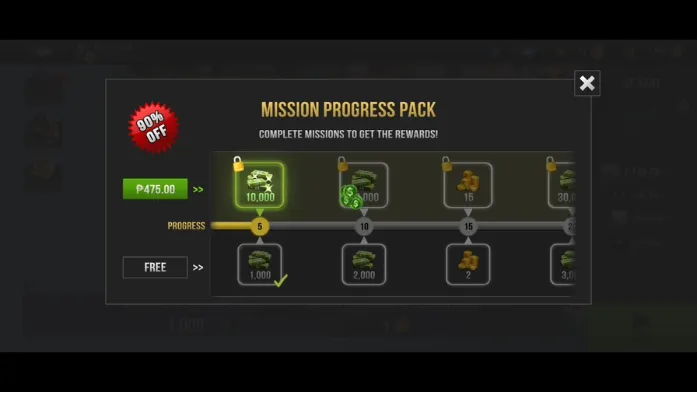
The official version follows the developer’s normal progression system, rewards, updates, and gameplay structure. Modified versions advertise features such as unlocked motorcycles or additional in-game money.
These features are not necessarily available in every modified release. Always check the exact version information before using an alternative build.
Android APK vs iOS Version
Feature | Android APK | iOS Version |
Platform | Android devices | iPhone and iPad |
File Type | APK | iOS app |
Installation | APK can be installed on Android | Installed through Apple’s supported system |
Controls | Touch and motion | Touch and motion |
Game Experience | First-person motorcycle riding | First-person motorcycle riding |
Bikes & Missions | Available | Available |
Game Modes | Career, Endless, Time Trial, Free Ride | Career, Endless, Time Trial, Free Ride |
Updates | Android-specific updates | iOS-specific updates |
Compatibility | Android version dependent | iOS/iPadOS version dependent |
Direct APK Support | Yes | No |
iOS Requirements and Compatibility
Requirement | Minimum |
Device | iPhone / iPad |
Operating System | Supported iOS / iPad OS |
Storage | 200 MB free space |
RAM | 2 GB |
Processor | Compatible Apple processor |
Internet | Required for download |
Display | Compatible iPhone / iPad display |
Controls | Touch or motion controls |
Graphics | Compatible with device hardware |
App Version | Latest compatible release |
How to Download Traffic Rider on iOS
If you want to download this game on iphone and ipad follow these steps:
How to Play Traffic Rider MOD APK for IOS on iPhone
The basic gameplay involves riding through traffic, completing missions, earning rewards, and improving your motorcycle.
Learn the Controls
Start by practicing steering, acceleration, and braking. Getting comfortable with the controls can make busy traffic easier to handle.
Choose the Right Motorcycle
Different motorcycles have different performance characteristics. Consider speed, acceleration, handling, and braking when selecting a bike.
Complete Missions
Career missions provide specific objectives to complete. Focus on the required task and avoid unnecessary collisions.
Earn In-Game Money
Normal gameplay and completed missions can provide in-game rewards. These rewards can be used to access motorcycles and improve their performance.
Upgrade Your Bike
Upgrades can improve areas such as speed, acceleration, handling, and braking. Choose improvements based on how you prefer to ride.
Best iOS Controls and Settings
The right settings can make Traffic Rider easier to play on an iPhone or iPad.
Below we discuss a few controls setting:
Tilt Controls
Use device movement to steer and adjust sensitivity when the option is available.
Touch Controls
Touch-based controls can be useful if you prefer direct screen input.
Brake Settings
Use the brake before approaching slower vehicles or crowded traffic.
Graphics Settings
If graphics options are available, select settings that match your device’s performance.
Battery and Performance
Long gaming sessions can increase battery usage and device temperature. Closing unnecessary background apps may help reduce the load.
Traffic Rider Gameplay Tips
Common Traffic Rider iOS Problems
Sometimes players may face installation or gameplay problems. Here we discuss the Common installation and gameplay issues:
Installation Issues
Check available storage and make sure your device meets the required software version.
Compatibility Problems
Older Apple devices may not support newer game releases.
Sensitive Controls
Adjust the available sensitivity settings or try another control method.
Lag and Heating
Long gaming sessions can increase device load. Lower graphics settings when available.
Is Traffic Rider Mod APK for iOS Safe?
Safety can vary depending on the source and version. The official iOS version comes through Apple’s standard app system, while unofficial versions should be approached carefully.
Always check the source before downloading, avoid suspicious websites, and never share sensitive account details with unofficial apps or websites. Modified versions may also differ in features, compatibility, and security.
Conclusion
Traffic Rider Mod APK for iOS is a search term used by players interested in playing Traffic Rider on iPhone and iPad while looking for additional features such as unlocked bikes or extra in-game money. The game itself offers first-person riding, multiple motorcycles, career missions, realistic sounds, and different riding modes.
Before installing any version, check the device requirements, compatibility, source, and file format. Remember that Android APK files cannot be installed directly on iPhone or iPad, so use the appropriate iOS installation method for your device.